
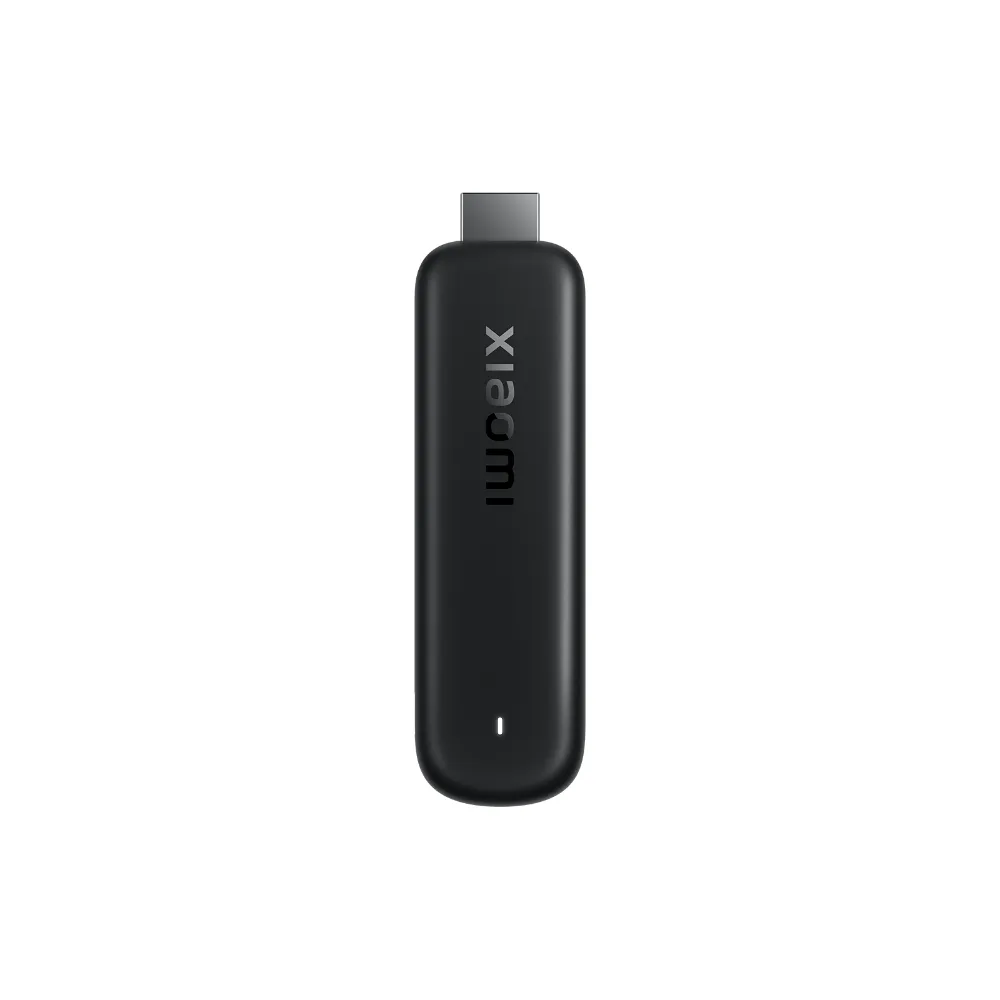
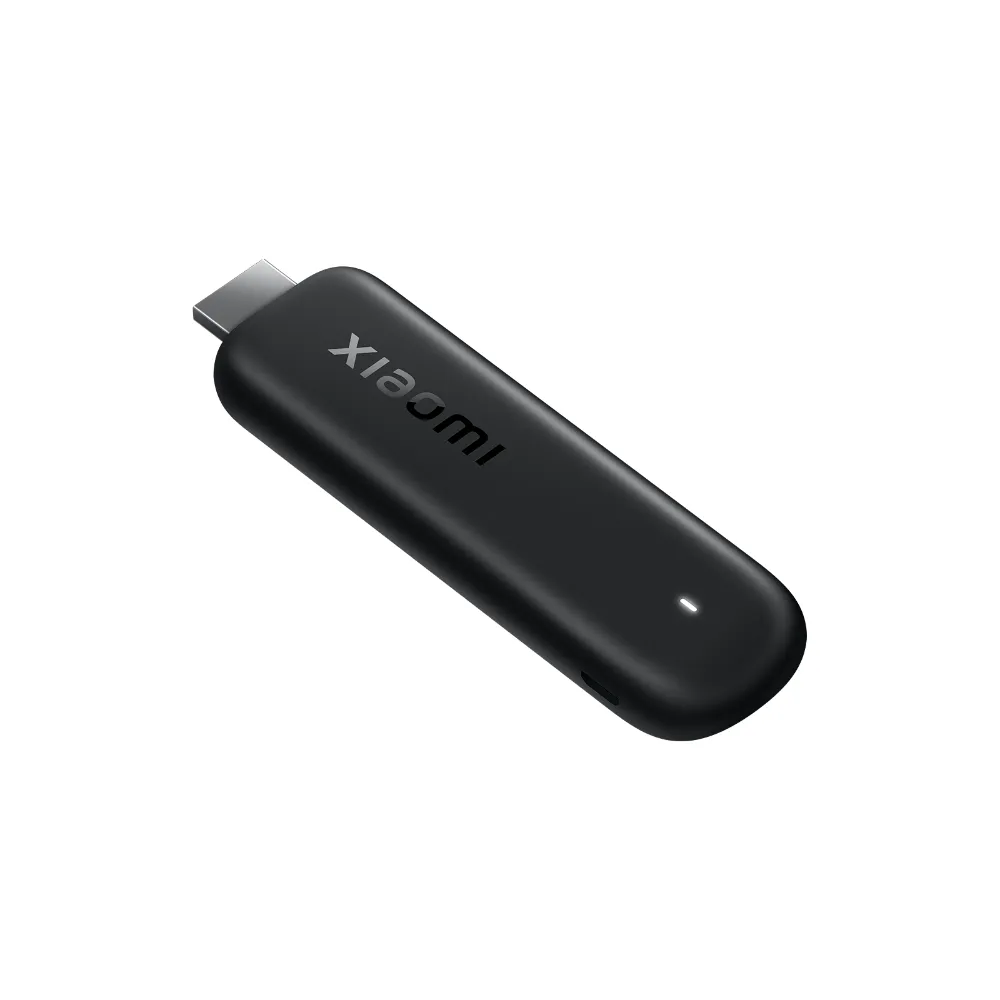
Xiaomi TV Stick HD (2nd Gen)
In stock
| Brand | Xiaomi |
| Output resolution | 720i/p, 1080i/p, up to 1080p@60Hz, HDR10+ |
| Operating system | Google TV™ |
| Processor | Quad-core Cortex-A55, Mali-G31 MP2 GPU |
| RAM & storage | 1GB DDR4 / 8GB |
| Audio | DTS:X, DTS HD, Dolby Audio |
| Connectivity | Dual-band Wi-Fi 2.4GHz / 5GHz, Bluetooth 5.0, Google Cast |
| Remote | Bluetooth + infrared voice remote with Google Assistant |
| Size & weight | 107.4 × 30 × 14 mm, 44g |
| Power | Micro USB 5V 1A (power adapter not included) |
Black Friday€66.99 €74.00
In stock
- 2-year Irish warranty
- 30-day returns
- Genuine EU stock
- Secure payment
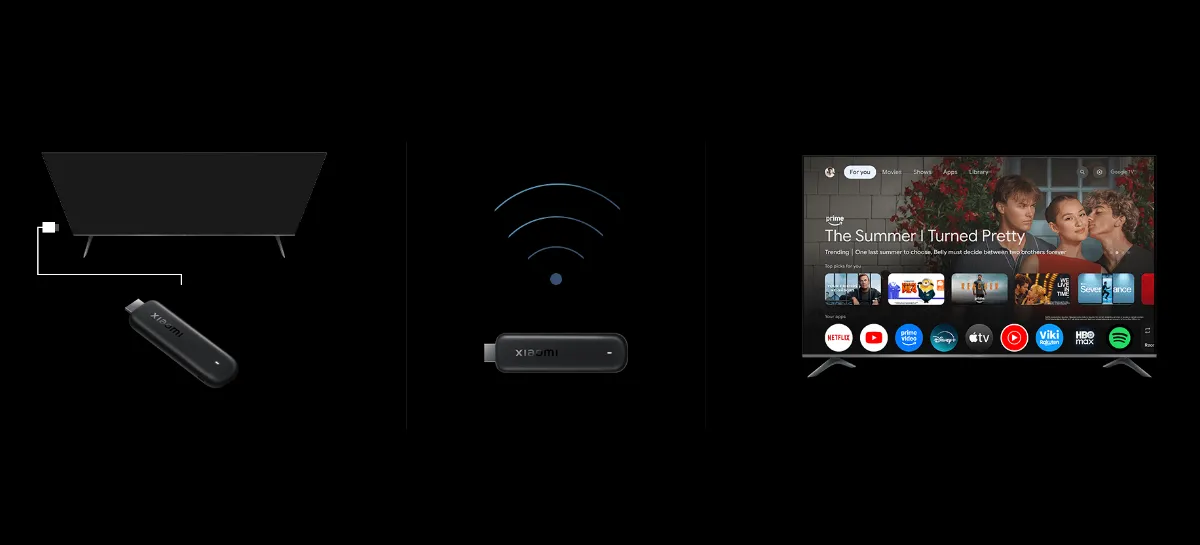
Turn any HDMI TV into a Google TV, in three steps.
Full HD at up to 60 frames a second, HDR10+, DTS:X sound and a voice remote, in a 44 g stick that hides behind the screen. A 38% faster CPU than the first Mi TV Stick.
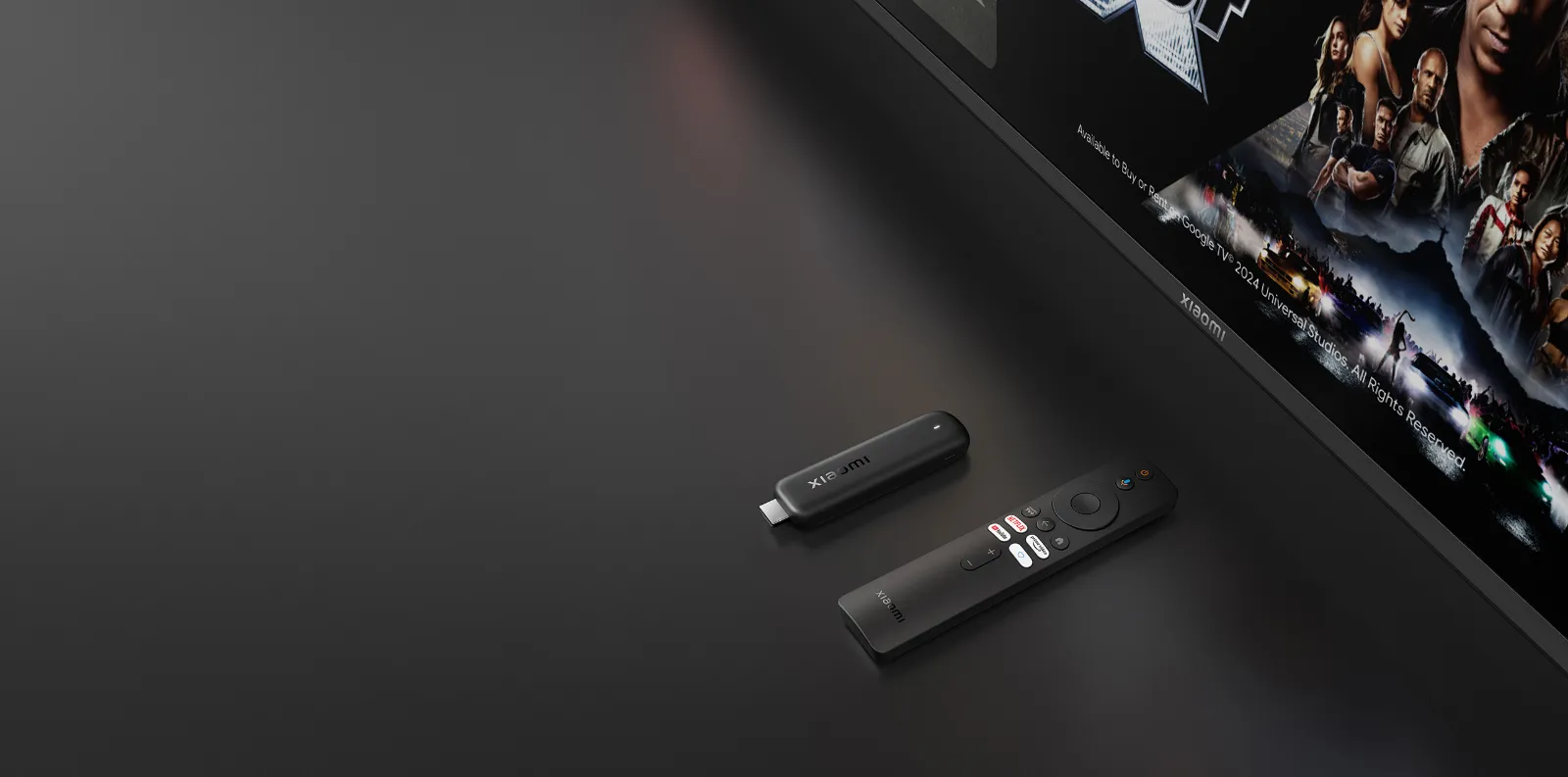
A simple way to make an older TV smart again
The Xiaomi TV Stick HD (2nd Gen) plugs into the HDMI port of a TV, monitor or projector and gives it the full Google TV experience. Netflix, Amazon Prime Video and YouTube come pre-installed, and the Google Play Store opens up more than 10,000 other apps, from RTÉ Player and Virgin Media Play to Spotify and Disney+.
Inside is a quad-core Cortex-A55 processor with a Mali-G31 MP2 graphics chip, 1 GB of DDR4 memory and 8 GB of storage. Xiaomi measures the CPU at 38% faster than the original Mi TV Stick, so menus scroll more smoothly and apps open quicker. Picture output runs up to 1080p at 60Hz with HDR10+, and the sound supports DTS:X and Dolby Audio.
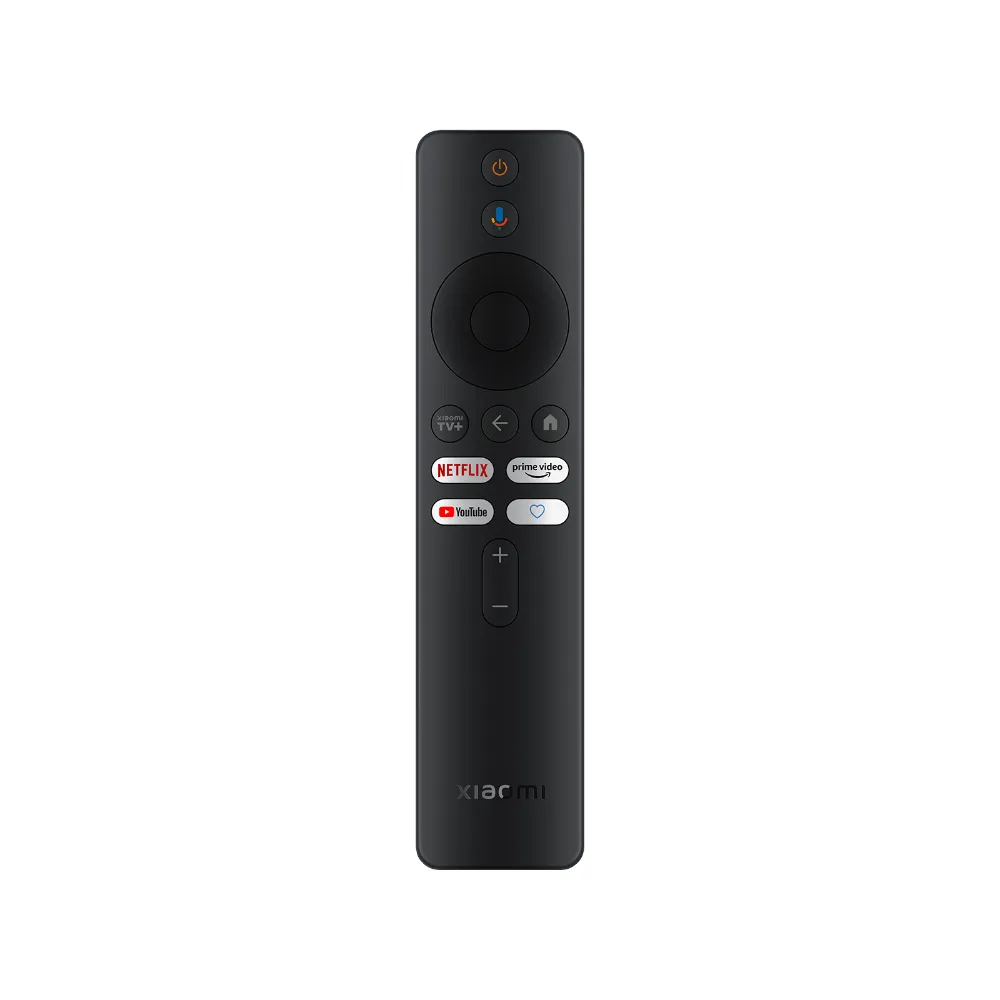
The voice remote works over Bluetooth, so you don’t need to point it at the TV, and it has an infrared transmitter to switch the TV itself on and off and change the volume. Press the Google Assistant button to search for a film by name, open an app or check the weather. You can also cast videos and photos straight from your phone.
It’s the right choice for a Full HD TV in a bedroom, kitchen or holiday home. If your main TV is 4K, the Xiaomi TV Stick 4K (2nd Gen) is the better match.
Xiaomi TV Stick HD (2nd Gen) price and availability in Ireland
mStore.ie is an authorised Xiaomi reseller. This is the EU version, shipped from our Irish warehouse with Irish VAT included and no customs charges. Order before 2pm for next-working-day delivery, and spread the cost with Klarna if you prefer.
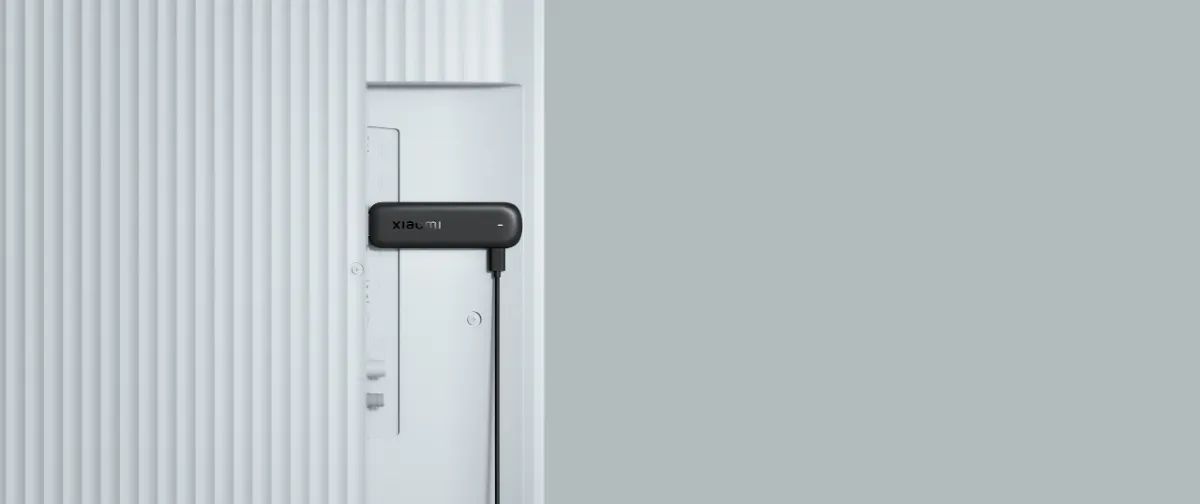
Plugs straight into the back of the TV
The stick goes into any free HDMI port and disappears behind the screen. It works with TVs, monitors and projectors, so a meeting-room screen or an older bedroom TV can get the same apps as a new smart TV. If the port is tight against the wall or next to another plug, the HDMI extension cable in the box gives it room.
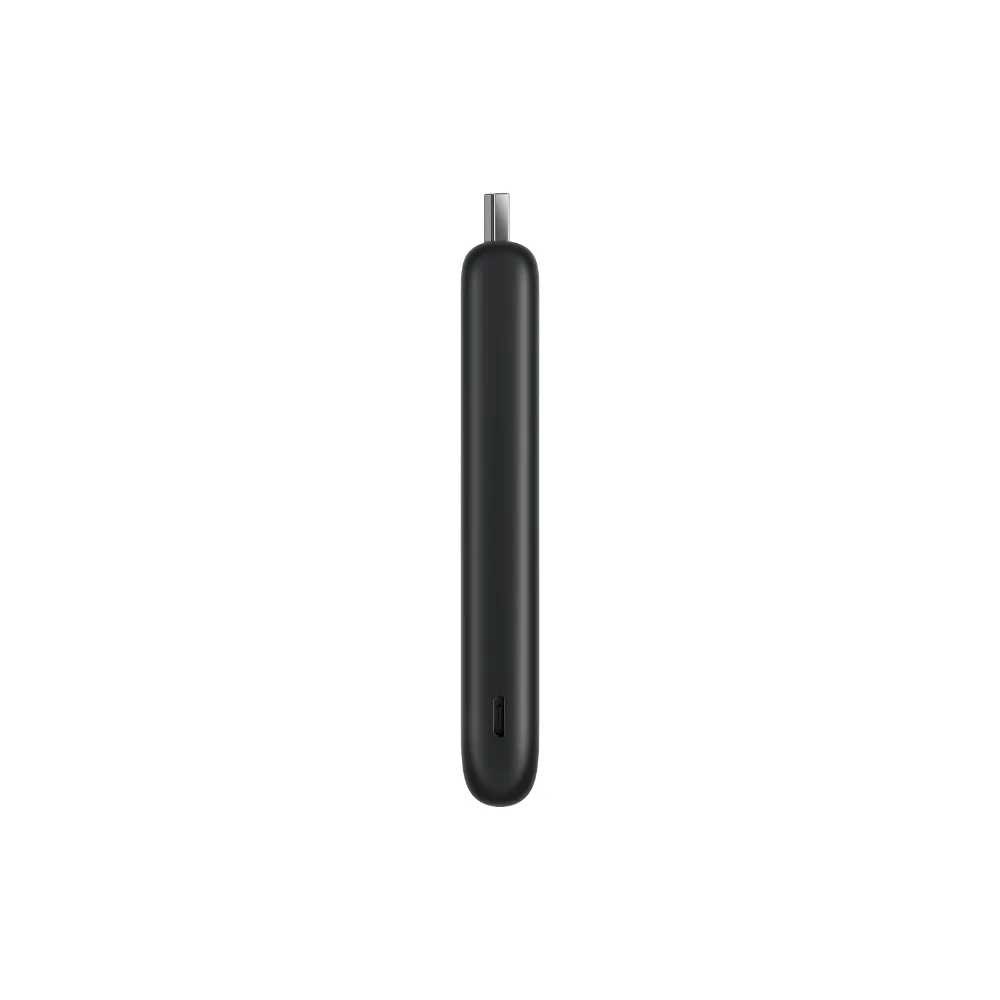
Power comes in through a micro USB cable. You can plug it into a USB port on the TV (5V 1A), or into a wall socket with a standard USB phone charger so the stick stays on and starts faster. A USB power adapter is not included in the box.
| Connects to | HDMI x 1 |
|---|---|
| Power | Micro USB, 5V 1A |
| In the box | HDMI extension cable, USB power cable |
| Power adapter | Not included |
38% more CPU power than the first Mi TV Stick
The second-generation stick runs on a newer hardware platform: a quad-core Cortex-A55 CPU paired with a Mali-G31 MP2 GPU. Xiaomi’s own lab tests put CPU performance 38% ahead of the original Mi TV Stick, which you notice most when moving through the Google TV home screen and opening apps.
It has 1 GB of DDR4 memory and 8 GB of storage for apps. That is plenty for a handful of streaming services and a music app. It also decodes AV1, VP9 and H.265 video in hardware, the formats YouTube and the big streaming services use to send good picture quality over a modest broadband line.
| CPU | Quad-core Cortex-A55 |
|---|---|
| GPU | Mali-G31 MP2 |
| Memory | 1 GB DDR4 |
| Storage | 8 GB |

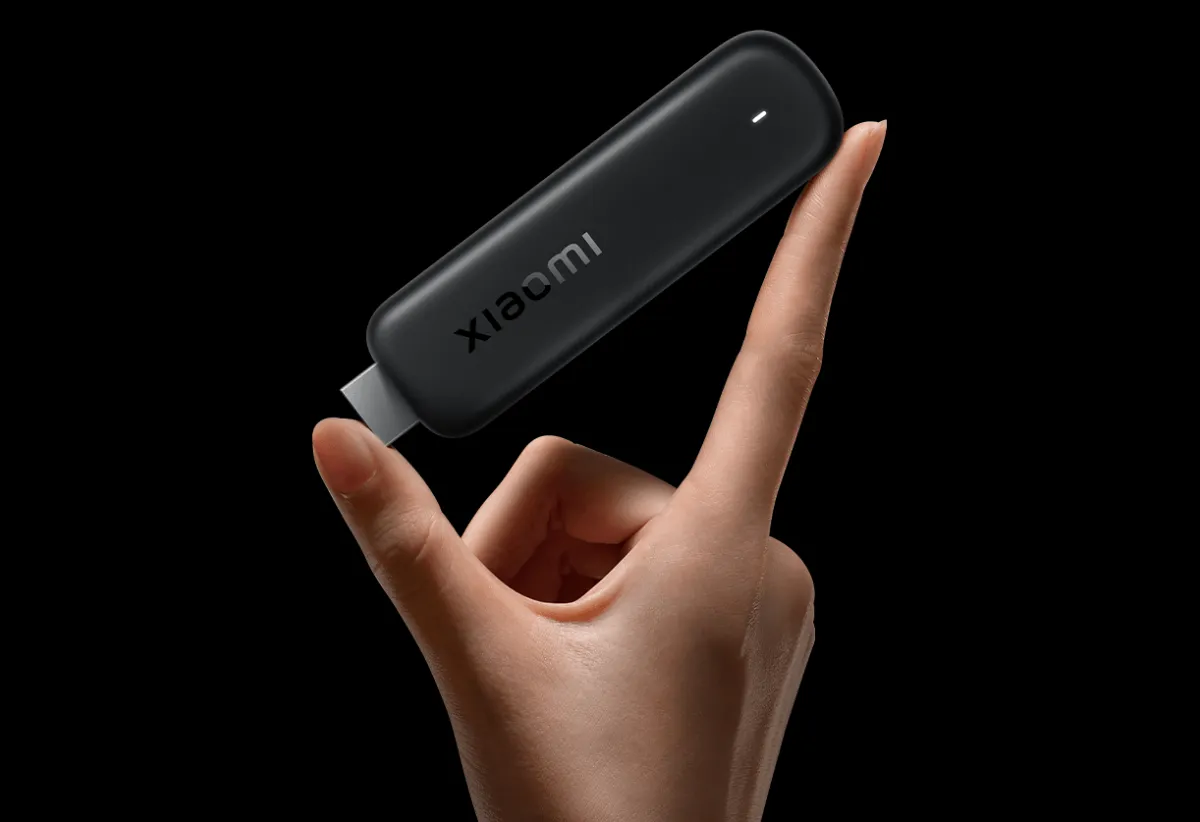
Small and light enough to take anywhere
The stick measures 107.4 × 30 × 14 mm and weighs 44 g. The edges are curved and the matt black finish keeps it discreet when it pokes out from behind a wall-mounted TV.
Because it is so small, it travels well. Pack it with the remote and cable for a caravan, a holiday rental or a hotel room with an HDMI port, sign in once, and your own apps and profiles are there on whatever screen you plug it into. It needs only a Wi-Fi connection to work.
- Size: 107.4 × 30 × 14 mm
- Weight: 44 g
- Colour: Black

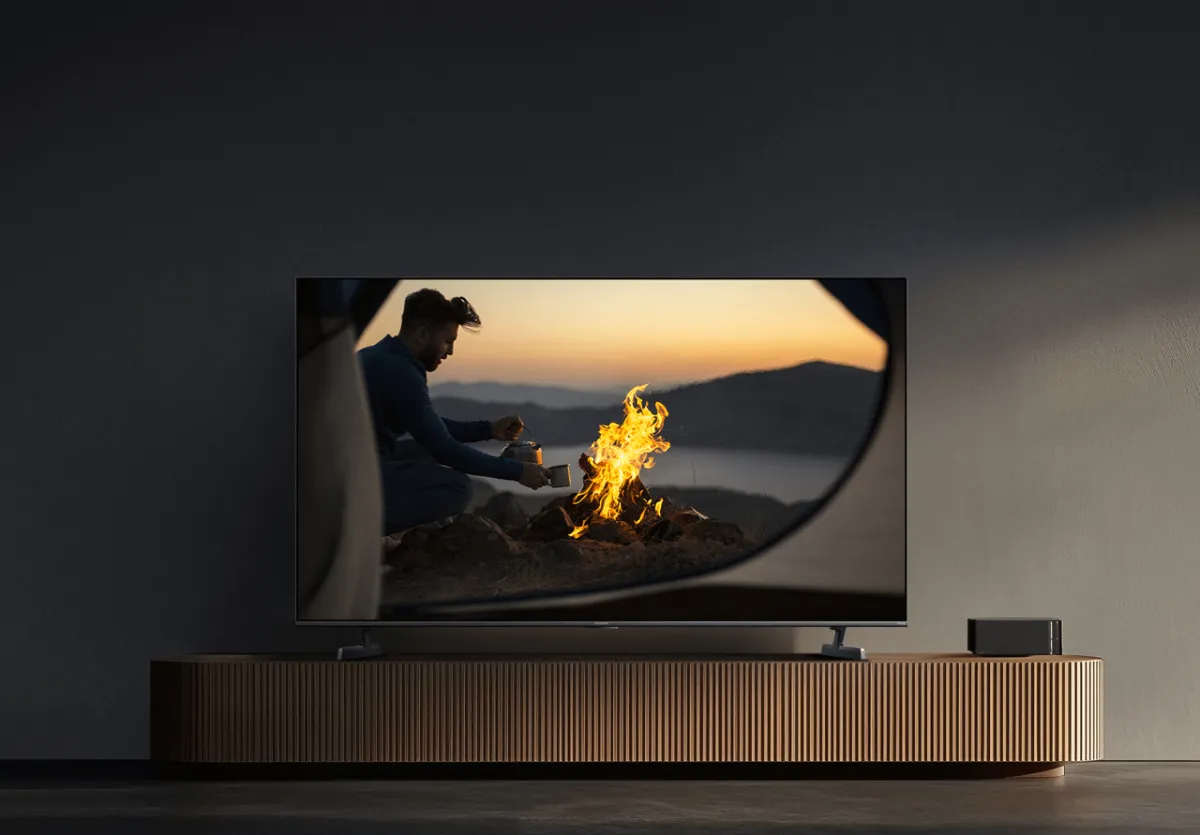
HDR10+ for brighter highlights and deeper shadows
The stick outputs 720p and 1080p, up to 1080p at 60Hz, and supports HDR10+. HDR10+ adjusts brightness scene by scene, so a sunset keeps its colour while the dark corners of the same shot still show detail instead of turning into black patches.
To see HDR10+, both the TV and the film or show need to support it; on a standard Full HD TV you still get a sharp 1080p picture. The stick plays MKV, MP4, MOV, AVI, TS and other common video formats, and shows JPG, PNG, GIF and BMP photos, handy for slideshows from your phone or a home media server.
| Output | 720i/p, 1080i/p, up to 1080p@60Hz |
|---|---|
| HDR | HDR10+ |
| Video decoding | AV1, VP9, H.265, H.264 |
Richer sound through your TV or soundbar
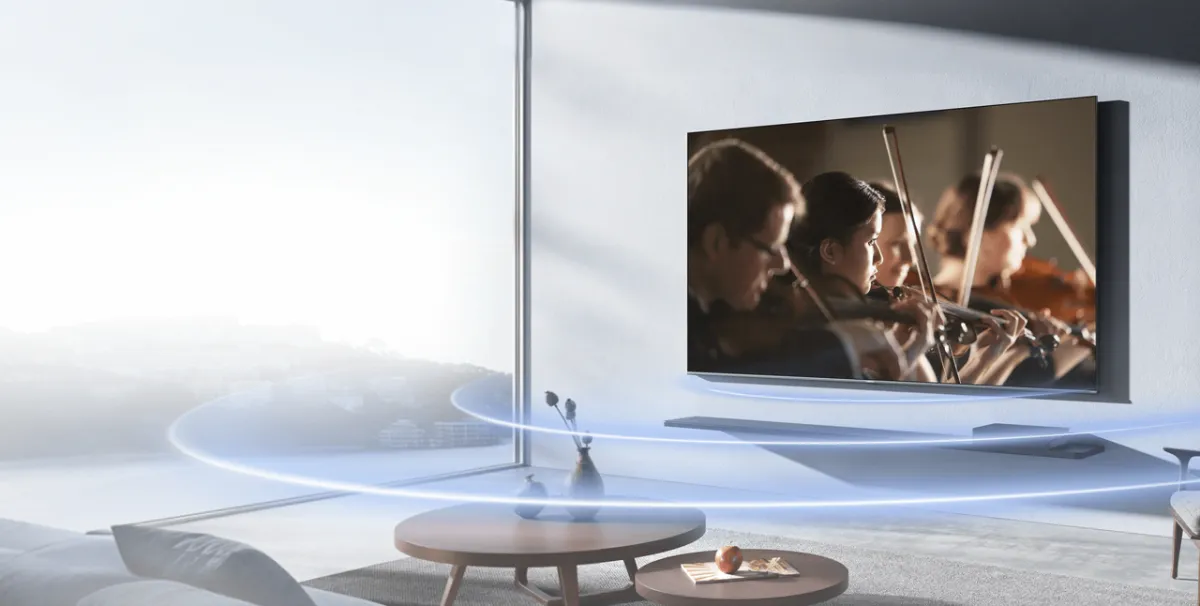
The stick decodes Dolby Audio, DTS:X and DTS HD, so films and series keep their full soundtrack instead of being squeezed down to plain stereo. Dialogue stays clear and effects have more space around them.
The biggest gain comes with a soundbar or AV receiver connected to the TV: the surround information passes through and the speakers place sound around the room. You need content mixed in these formats and a TV or speaker system that can play them. For music, it handles MP3, AAC, FLAC and OGG files.
| Audio decoding | DTS:X, DTS HD |
|---|---|
| Also supports | Dolby Audio |
| Audio files | MP3, AAC, FLAC, OGG |
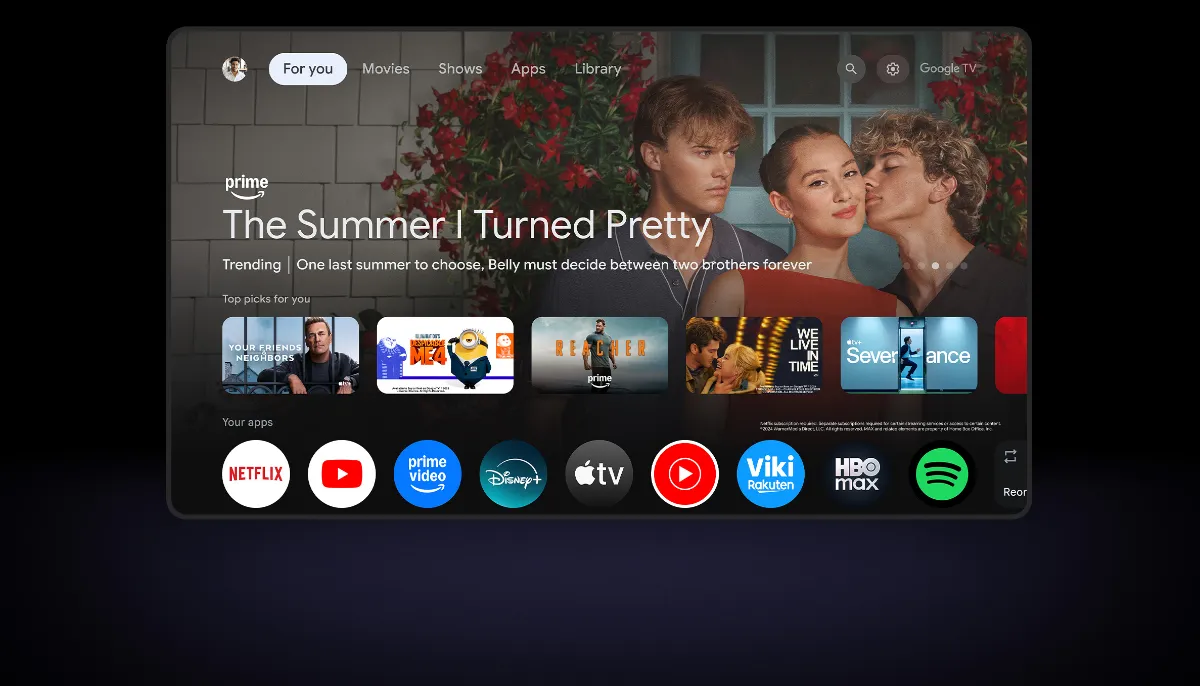
All your apps and shows on one home screen
Google TV pulls films and series from your apps and subscriptions into one home screen and suggests what to watch next, so you don’t have to open each app to find something. Search covers more than 10,000 apps plus hundreds of free channels.
Netflix, Amazon Prime Video and YouTube are pre-installed, and the rest come from the Google Play Store. Each person in the house can have their own profile with their own recommendations and watchlist, so the kids’ cartoons don’t fill up your suggestions. You need an internet connection and a Google account, and some services need a paid subscription.
- Netflix, Prime Video and YouTube pre-installed
- Personal profiles for each member of the household
- Over 10,000 apps from the Google Play Store
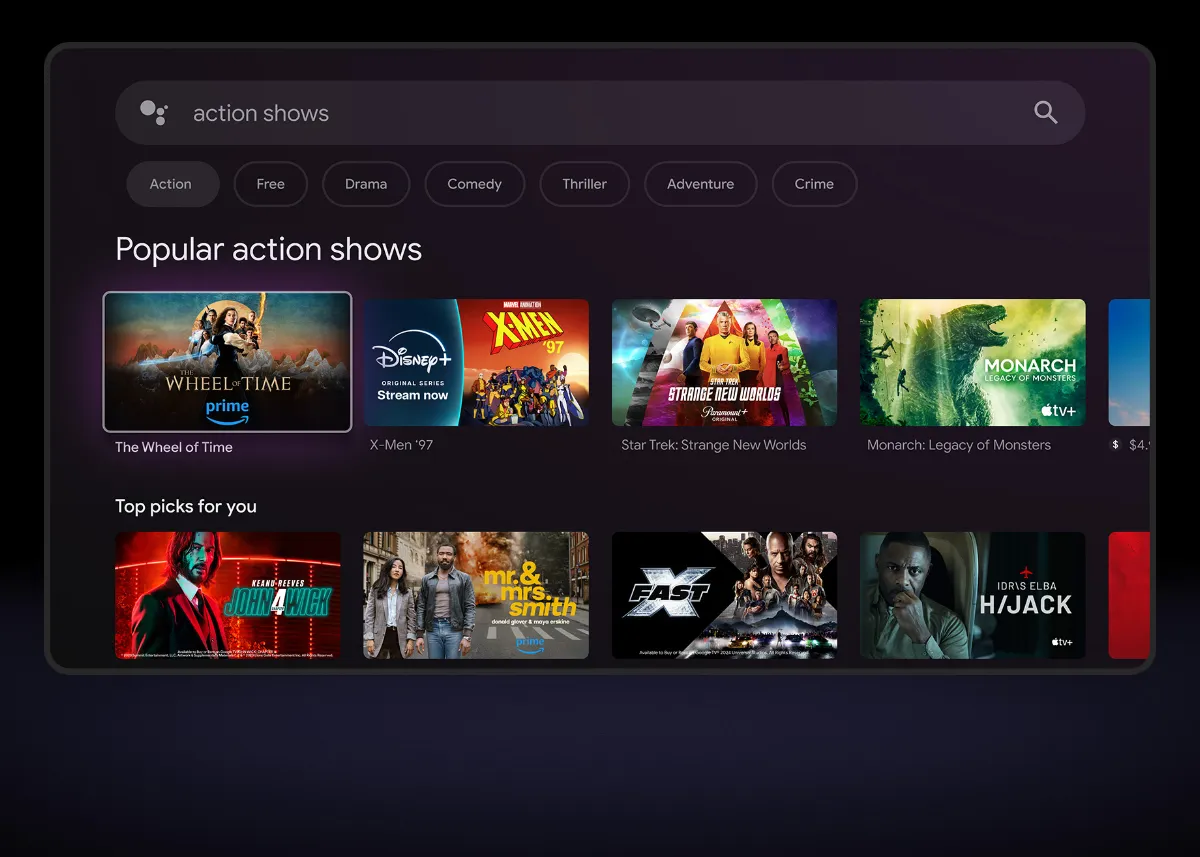
Find something to watch by asking for it
Hold the Google Assistant button on the remote and say what you want: a film title, an actor, “action shows”, or an app name. Results come back from all your installed services on one screen, which is much quicker than typing with arrow keys.
The Assistant also plays music, controls playback and the TV, answers questions and checks the weather. If you have Google-compatible smart home devices, such as lights, plugs or cameras, you can control them from the sofa too. Availability of the Assistant depends on language and country.
- Voice search across all your apps
- Play, pause and control the TV by voice
- Control compatible smart home devices
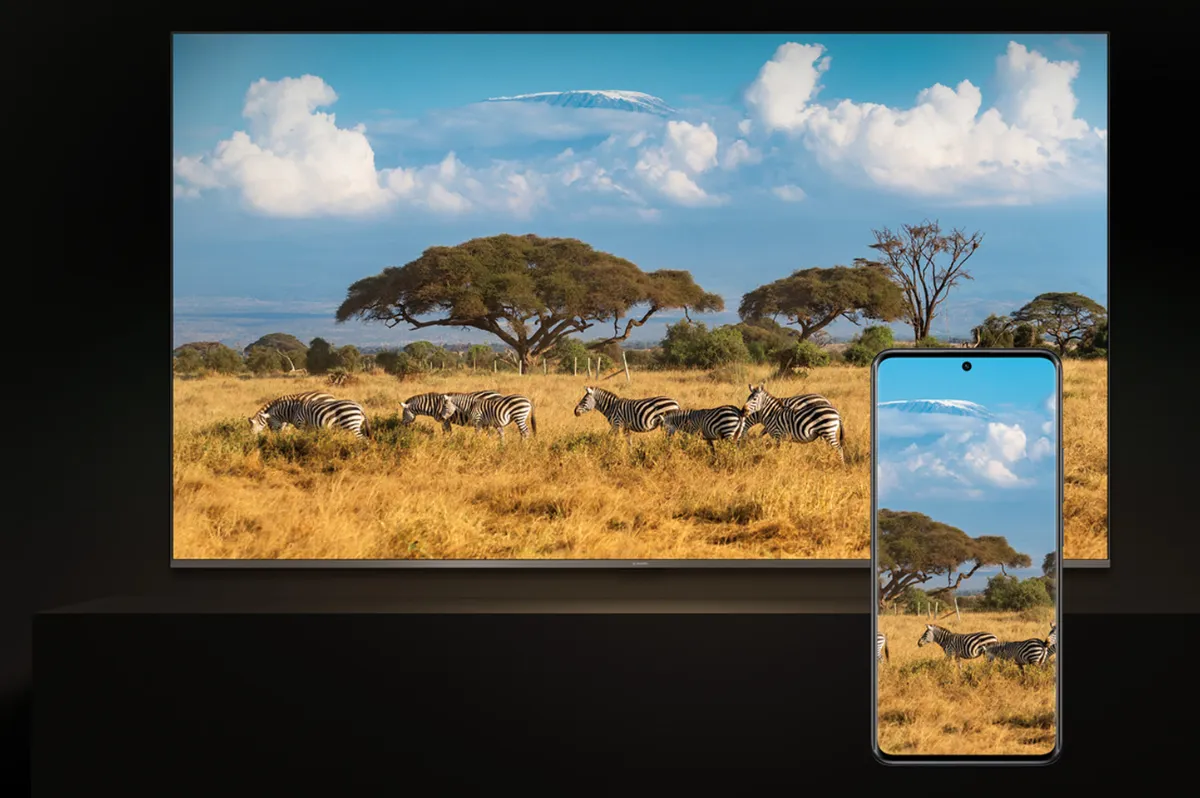
Send videos and photos from your phone to the TV
Google Cast is built in. In YouTube, Netflix, Google Photos or any other app with the Cast icon, tap it and the video plays on the big screen. Your phone becomes the remote, and you can keep using it for messages while the TV plays.
It works from Android phones and tablets, and from iPhones and iPads in apps that support Cast. It’s an easy way to show holiday photos to the family or let a visitor put on their own playlist without signing in to anything on the TV. Phone and stick need to be on the same Wi-Fi network.
- Works with Cast-enabled apps on Android and iOS
- Phone and stick on the same Wi-Fi
A remote that works from any angle
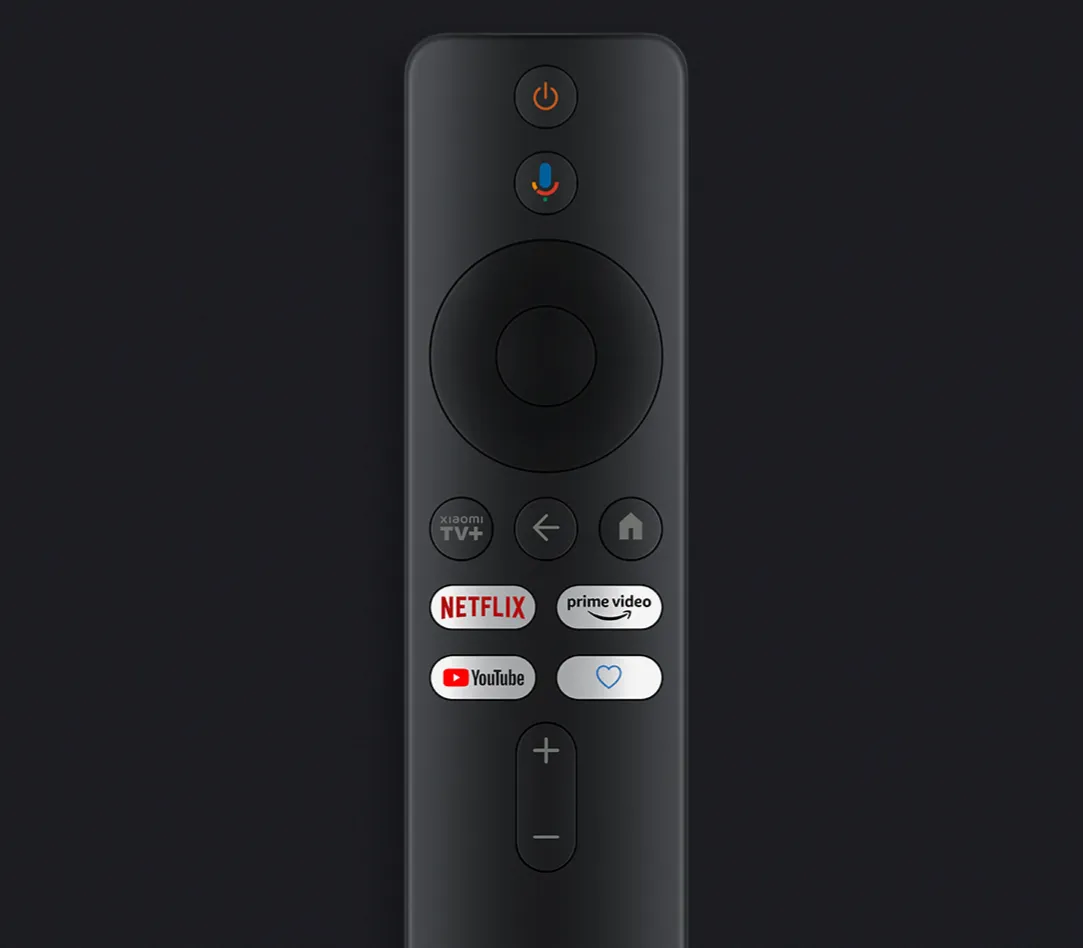
The remote talks to the stick over Bluetooth 5.0, so it works even though the stick is hidden behind the TV, and you don’t need line of sight. Shortcut buttons for Netflix and Prime Video take you straight into those apps.
It also has an infrared transmitter that is used only for the TV itself: power on and off, volume and mute. For most TVs that means you can put the TV’s own remote in a drawer. The Google Assistant button sits at the top for voice search.
| Connection | Bluetooth 5.0 + infrared |
|---|---|
| Voice | Google Assistant button |
| Infrared use | Controls the TV |
Stable streaming and set up in three steps
The stick connects on both 2.4GHz and 5GHz Wi-Fi. The 2.4GHz band reaches further, for a TV at the far end of the house, while 5GHz is faster and less crowded, which gives smoother HD streaming when the router is nearby. For best results use a router that supports Wi-Fi 5.
Set-up takes three steps: plug the stick into the TV, connect it to Wi-Fi and start watching. You can sign in to your Google account with your phone instead of typing a password with the remote, and Google TV then asks which streaming services you use.
- Wi-Fi 2.4GHz / 5GHz
- Bluetooth 5.0
- Plug in, connect, watch
Connectivity and formats at a glance
Everything the stick supports, from wireless to video and sound.
TV Stick HD (2nd Gen) vs TV Stick 4K (2nd Gen)
Same size and software; the 4K model adds resolution, memory and Dolby Atmos.
| TV Stick 4K (2nd Gen) | TV Stick HD (2nd Gen) | |
|---|---|---|
| Output resolution | 4K | Up to 1080p@60Hz |
| CPU | Quad-core Cortex-A55 | Quad-core Cortex-A55 |
| GPU | ARM G310 V2 | Mali-G31 MP2 |
| RAM / storage | 2 GB / 8 GB | 1 GB DDR4 / 8 GB |
| Audio decoding | DTS:X, DTS HD, Dolby Atmos | DTS:X, DTS HD |
| Bluetooth | 5.2 | 5.0 |
| Size / weight | 107.4 × 30 × 14 mm, 44 g | 107.4 × 30 × 14 mm, 44 g |
| Power adapter in box | Yes | No |
Figures from Xiaomi UK. See the Xiaomi TV Stick 4K (2nd Gen).
Which Xiaomi TV Stick should you buy?
Match the stick to the TV it’s going into.
| Full HD or HD-ready TV | TV Stick HD (2nd Gen): it delivers everything the screen can show. |
|---|---|
| Bedroom, kitchen or holiday home | TV Stick HD (2nd Gen): small, quick to set up and easy to move. |
| 4K TV in the living room | TV Stick 4K (2nd Gen): sharper picture and twice the memory. |
| Dolby Atmos soundbar | TV Stick 4K (2nd Gen): it adds Dolby Atmos decoding. |
Is the Xiaomi TV Stick HD (2nd Gen) right for you?
An honest look at who it suits and who should look elsewhere.
Buy it if
- Your TV is Full HD or HD-ready and you want Google TV on it
- You want Netflix, Prime Video and YouTube ready out of the box
- You like to search by voice and cast from your phone
- You want one remote for both the stick and the TV
- You need something small to take on holiday
Look elsewhere if
- You have a 4K TV and want the sharpest picture
- You want Dolby Atmos from a soundbar
- You plan to install lots of large apps or games: 1 GB of RAM and 8 GB of storage is modest
- You need a power adapter in the box: use your TV’s USB port or your own phone charger
Xiaomi TV Stick HD (2nd Gen) full specifications
| Display | |
| Output resolution | 720i/p, 1080i/p, up to 1080p@60Hz |
|---|---|
| HDR | HDR10+ |
| Software | |
| Operating system | Google TV™ |
| Pre-installed | Netflix, Amazon Prime Video, YouTube |
| Platform | |
| CPU | Quad-core Cortex-A55 |
| GPU | Mali-G31 MP2 |
| RAM | DDR4 1GB |
| Storage | 8GB |
| Decoder | |
| Video decoder | AV1, VP9, H.265, H.264, MPEG-4, MPEG-2, MPEG-1, VC-1, real-8, real-9, real-10 |
| Video format | RM, RMVB, FLV, MOV, VOB, AVI, MKV, TS, MP4, HDR |
| Audio decoder | DTS:X, DTS HD |
| Audio format | MP3, AAC, FLAC, OGG |
| Image decoder | JPG, BMP, GIF, PNG |
| Connectivity | |
| Wi-Fi | 2.4GHz / 5GHz |
| Bluetooth | 5.0 |
| Ports | HDMI x 1, Micro USB x 1 |
| Remote | Bluetooth and infrared, Google Assistant button |
| Design | |
| Dimensions | 107.4 × 30 × 14 mm |
| Weight | 44g |
| Colour | Black |
| Power | |
| Input | 5V 1A via micro USB (TV USB port or USB adapter) |
| Power adapter | Not included |
What’s in the box
No USB power adapter is included. Power the stick from your TV’s USB port (5V 1A), or plug the cable into a standard USB phone charger (5V 1A) so the stick is always on and ready to stream.
Buying from mStore.ie
An authorised Xiaomi reseller, based in Ireland.
Xiaomi TV Stick HD (2nd Gen) FAQ
Does it play 4K?
No. It outputs up to 1080p at 60Hz. It will work on a 4K TV, which upscales the picture, but if you want a true 4K signal choose the Xiaomi TV Stick 4K (2nd Gen).
Is a power adapter included?
No. The box has a USB power cable but no plug. You can power the stick from a USB port on your TV (5V 1A) or from any standard 5V 1A USB phone charger.
Will it work with my TV?
It works with any TV, monitor or projector that has an HDMI port. You also need a Wi-Fi connection and a Google account to set it up.
Which apps can I use?
Netflix, Amazon Prime Video and YouTube are pre-installed. Others, such as RTÉ Player, Disney+, Spotify and Virgin Media Play, can be downloaded from the Google Play Store. Some services need a paid subscription.
Can the remote turn my TV on and off?
Yes, for most TVs. The remote has an infrared transmitter that is used only to control the TV, such as power and volume. Everything else goes to the stick over Bluetooth.
Does it support voice control?
Yes. Press the Google Assistant button on the remote to search for films and shows, open apps, control playback or ask questions.
Can I cast from my iPhone?
Yes, from apps that support Google Cast, such as YouTube and Netflix. Android phones can cast from any Cast-enabled app. Both devices need to be on the same Wi-Fi network.
How is it different from the first Mi TV Stick?
It runs Google TV instead of Android TV, has a newer Mali-G31 MP2 GPU and, according to Xiaomi’s lab tests, 38% more CPU performance. It also adds HDR10+ support.
Does it support Dolby Atmos?
Xiaomi lists DTS:X and DTS HD decoding and Dolby Audio support, but not Dolby Atmos. If Atmos matters to you, the Xiaomi TV Stick 4K (2nd Gen) lists it.
Can I use it on 5GHz Wi-Fi?
Yes. It supports dual-band Wi-Fi on 2.4GHz and 5GHz. Xiaomi recommends a router that supports Wi-Fi 5.
How fast is delivery?
It ships from our Irish warehouse. Order before 2pm for next-working-day delivery across Ireland, with Irish VAT included and no customs charges.
Specifications
Display
| Output Resolution | 720i/p, 1080i/p, up to 1080p@60Hz |
|---|---|
| HDR | HDR10+ |
Operating System
| OS | Google TV™ |
|---|---|
| Content | Netflix, Amazon Prime Video and YouTube pre-installed |
Platform
| CPU | Quad-core Cortex-A55 |
|---|---|
| GPU | Mali-G31 MP2 |
| RAM | DDR4 1GB |
| Storage | 8GB |
Design
| Length | 107.4mm |
|---|---|
| Width | 30mm |
| Thickness | 14mm |
| Weight | 44g |
| Colour | Black |
Decoder
| Video decoder | AV1, VP9, H.265, H.264, MPEG-4, MPEG-2, MPEG-1, VC-1, real-8, real-9, real-10 |
|---|---|
| Video format | RM, RMVB, FLV, MOV, VOB, AVI, MKV, TS, MP4, HDR |
| Audio decoder | DTS:X, DTS HD |
| Audio format | MP3, AAC, FLAC, OGG |
| Image decoder | JPG, BMP, GIF, PNG |
Connectivity
| Wi-Fi | 2.4GHz / 5GHz |
|---|---|
| Bluetooth | 5.0 |
| Ports | HDMI x 1, Micro USB x 1 |
| Remote | Bluetooth and infrared, Google Assistant button |
Package Contents
| In the box | Xiaomi TV Stick HD (2nd Gen) x 1, Remote control x 1, User manual x 1, HDMI extension cable x 1, USB power cable x 1 |
|---|---|
| Power adapter | Not included (power from TV USB port or a 5V 1A USB adapter) |
You must be logged in to post a review.




Reviews
There are no reviews yet